Remember useful information
A recommendation, a code, a name. Saved as a short memory you can open later.
A small necklace that listens when you ask it to. Memvia, on your iPhone, remembers what matters.
Every day you hear things worth keeping. A restaurant a friend recommended. Slides due Friday. A flight time. An idea on a walk. Most of it slips away. Mem is being built to catch it, and Memvia finds it again when you ask.
A soft white face in a dark housing, on a chain. One button, no screen, nothing to check. These are renders of the design direction; materials and dimensions aren’t final.
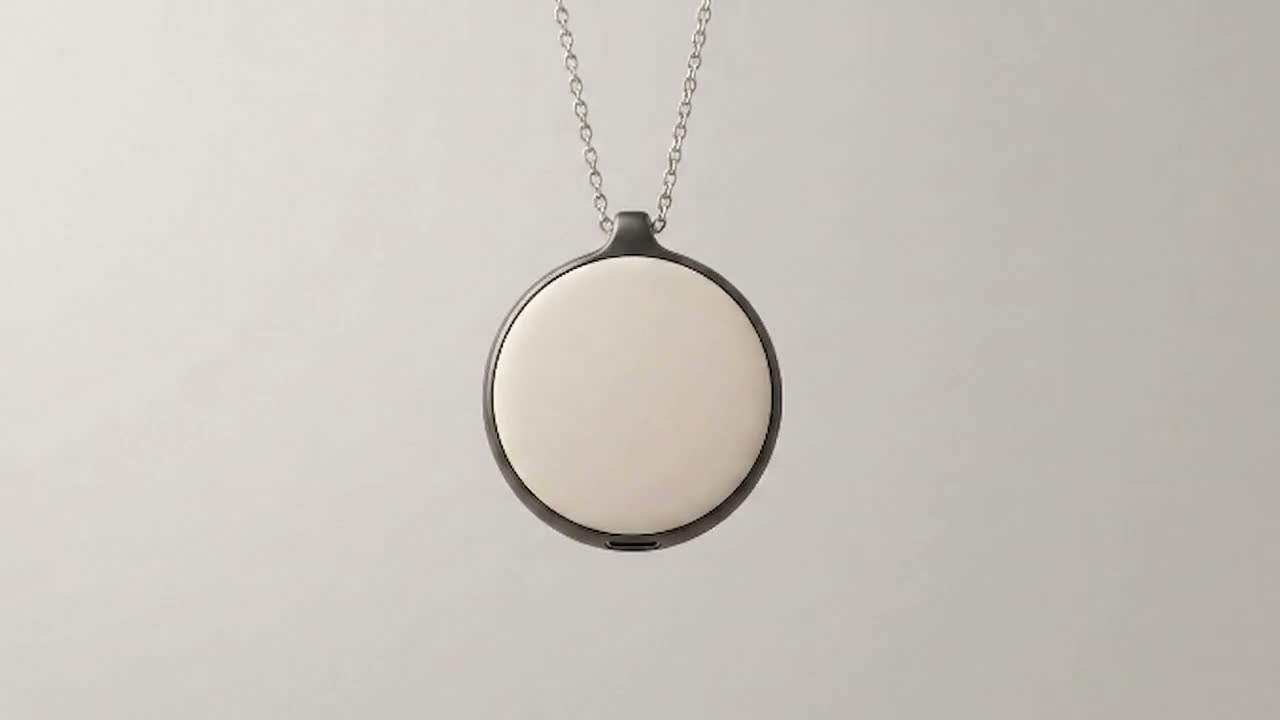
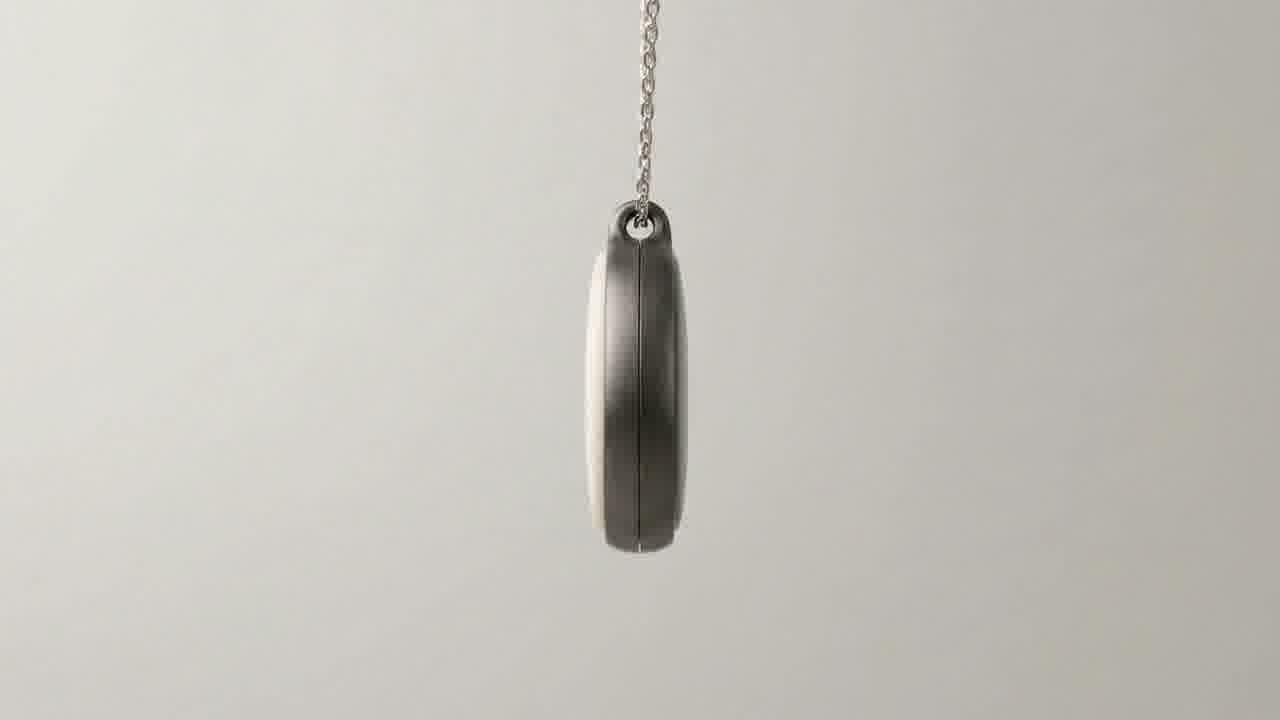
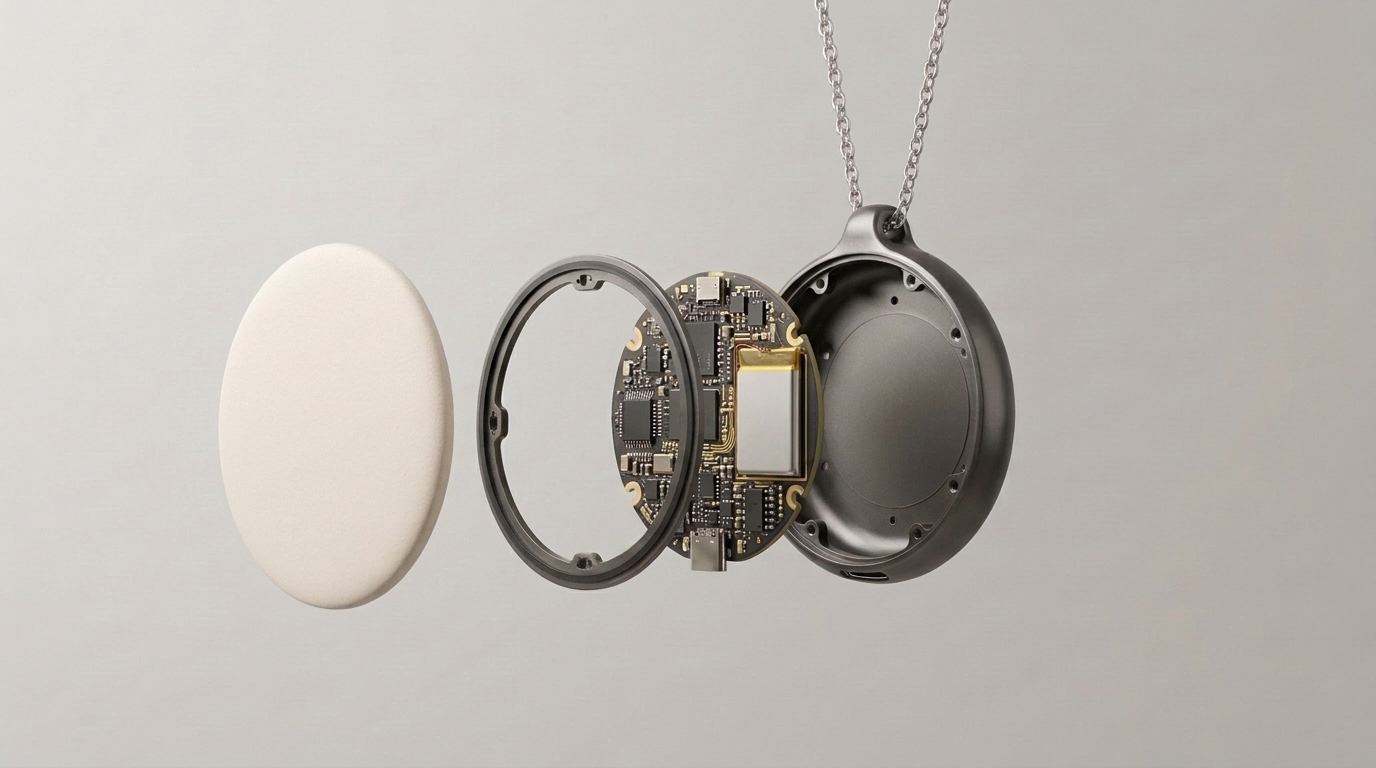
Concept renders.
No screen to check. Press to mute, hold to sleep, and Mem answers with a buzz you can feel.
Microphone
On
Press to mute. Hold for 3 seconds to sleep.
Try it: press, or press and hold for 3 seconds. This follows the necklace’s firmware; it hasn’t run on real hardware yet.
This is prototype v3 as designed: every track, pad and part sits where the engineering file puts it. Choose a part to find it on the board.
Prototype v3 is in engineering review and hasn’t been made yet. Battery life hasn’t been measured.
The plan: the necklace streams its microphone to Memvia over Bluetooth LE, and everything after that happens on the iPhone. The necklace stores no audio.
ConceptIndustrial design explored in renders.
Board designPrototype v3 in engineering review. App side tested against a simulated necklace.
Hardware testingBuilding and testing a physical necklace.
AvailableNot for sale. No date set.
Bluetooth LE with bonding, tested against a simulated necklace.
The button cuts power to the microphone and pauses recording in the app.
Shown as “Unavailable” until the hardware can measure it. Never estimated.
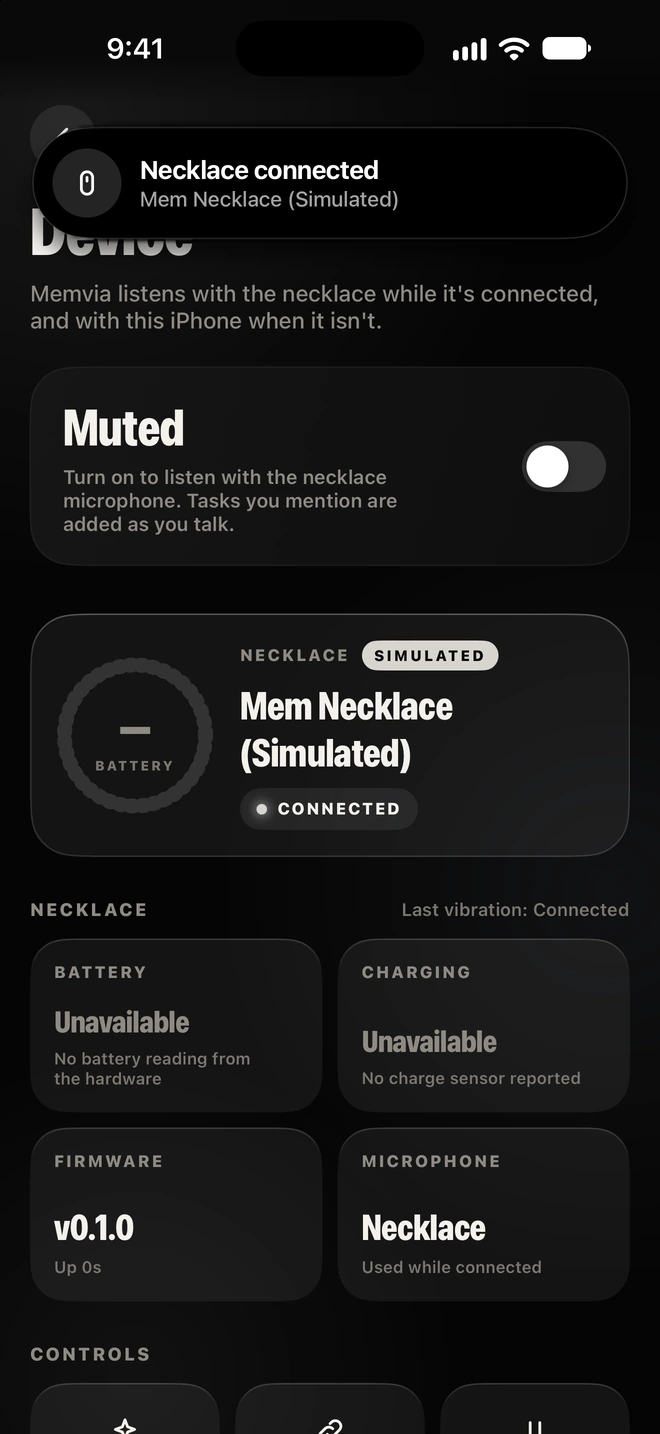
You can try pairing, mute and the device controls against a simulated necklace. It’s labeled Simulated everywhere, and it never makes up audio. Memvia works with the iPhone’s own microphone without it.
Turn on listening or note taking in Memvia. While the necklace is connected its microphone is used; otherwise, the iPhone’s. Nothing starts on its own.
Alex“You have to try Marrow & Vine, on Edgewood. Weeknights, and ask for the corner booth.”
Illustration. The line is from the app’s demo data.
Speech is transcribed on the iPhone. Memvia picks out places, people, tasks, dates and ideas.
You have to try Marrow & Vine, on Edgewood. Weeknights, and ask for the corner booth.
Transcribed and read on this iPhone
It becomes a short memory with its source. Raw audio isn’t kept.
Marrow & Vine
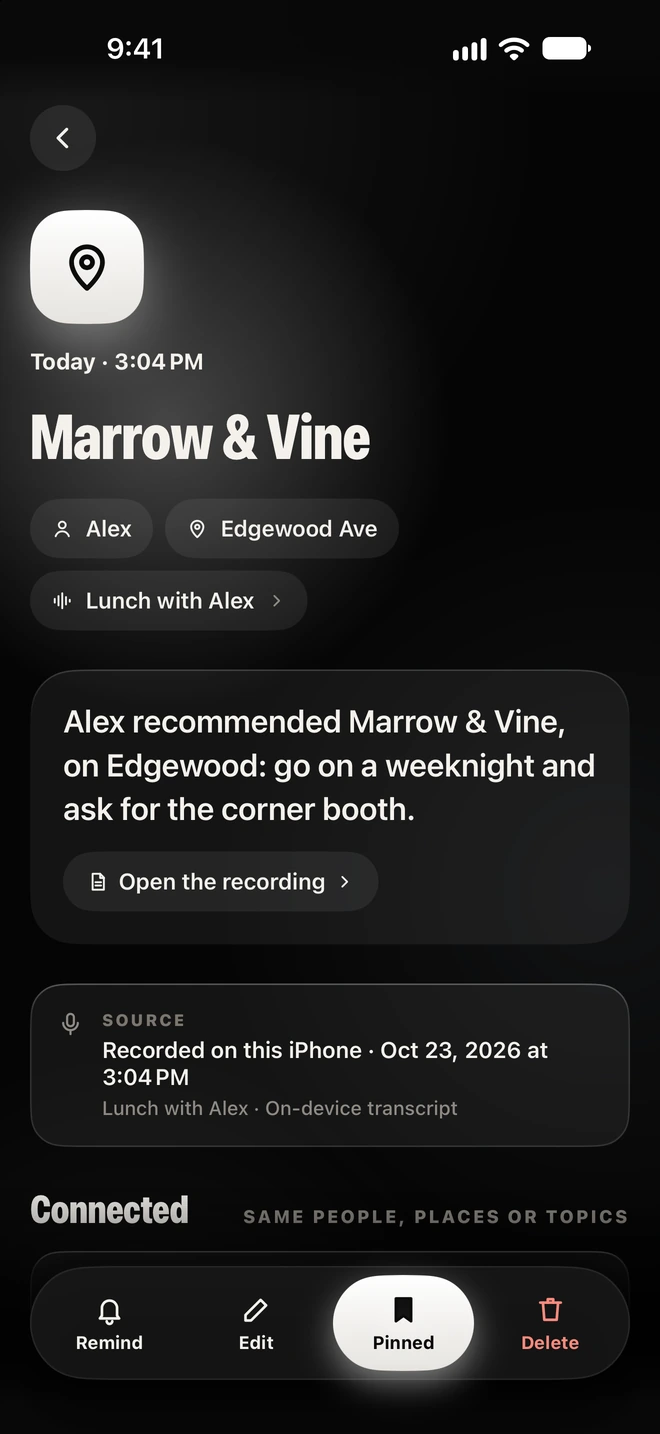
Alex recommended Marrow & Vine, on Edgewood: go on a weeknight and ask for the corner booth.
Recorded on this iPhone. On-device transcript.
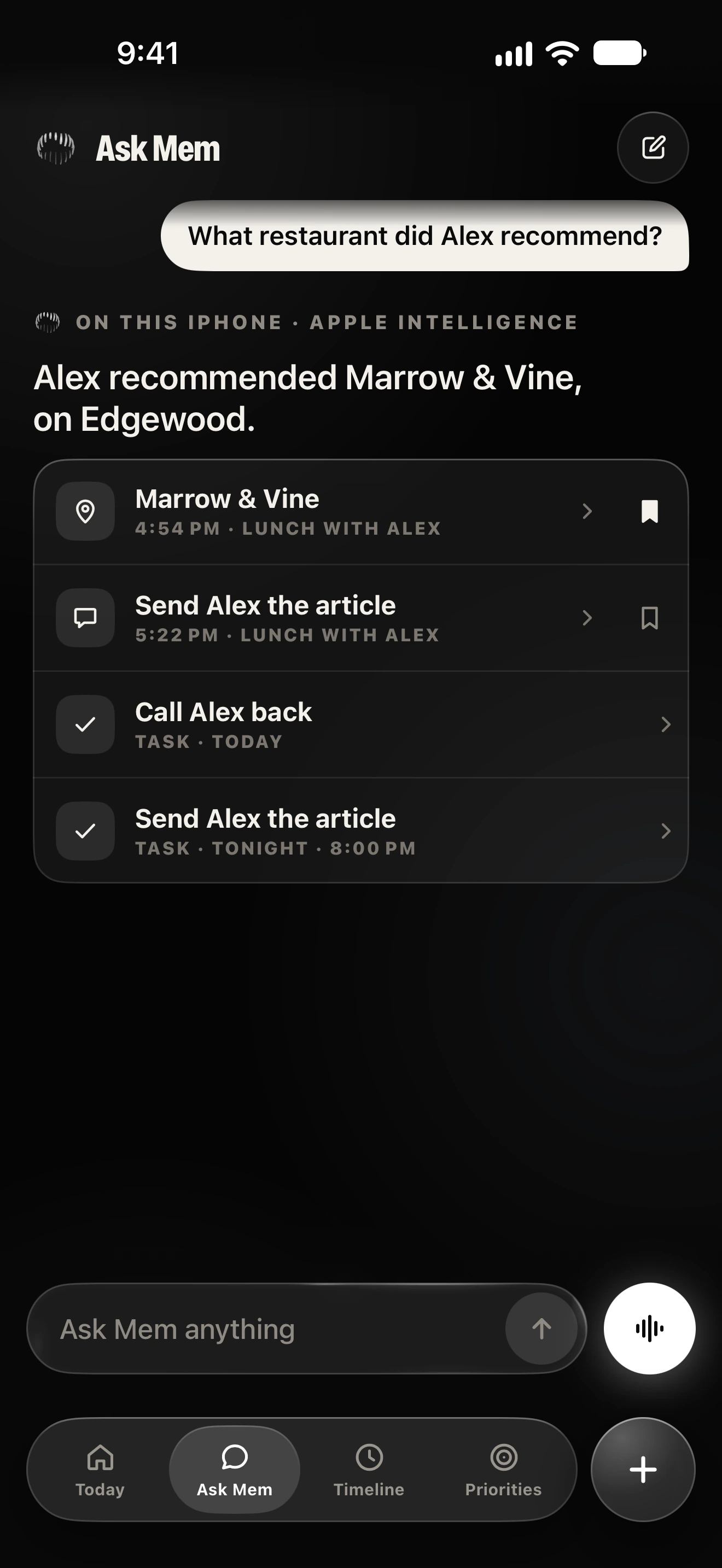
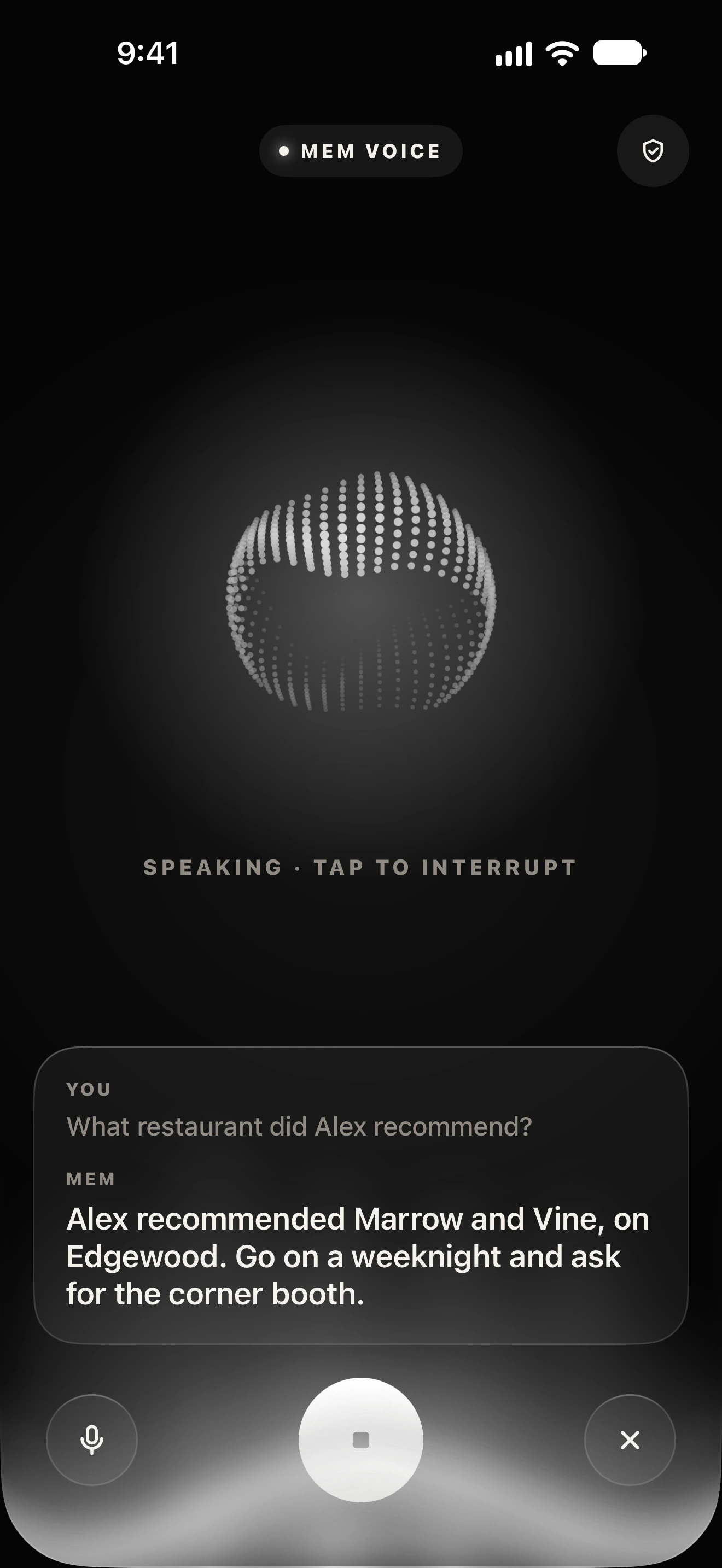
Ask in plain words. Mem answers from what you saved and shows where the answer came from.
What restaurant did Alex recommend?
Alex recommended Marrow & Vine, on Edgewood.
Privacy starts in the hardware, and stays on your iPhone. No Memvia account, server, analytics or cloud AI.
The button switches off the microphone’s power with a transistor, and recording in Memvia pauses too. It isn’t just a hidden indicator.
The necklace stores nothing. It streams to Memvia only while the app asks for it and the microphone isn’t muted.
Bluetooth LE Secure Connections with bonding. Pairing only opens on first setup or after a wake gesture. Encryption covers the radio link, and nothing beyond it.
Speech recognition, the language models, Mem’s voice and the database run on the iPhone. The only network use is an optional model or voice download, when you tap Download.
In one file in Memvia’s folder, protected by iOS Data Protection, and part of your normal iPhone backups. Raw audio isn’t kept.
Transcripts: 30 days by default, or 7, 90 days, or forever. Delete any memory, export or import a JSON backup, or erase everything. Optional Face ID lock.
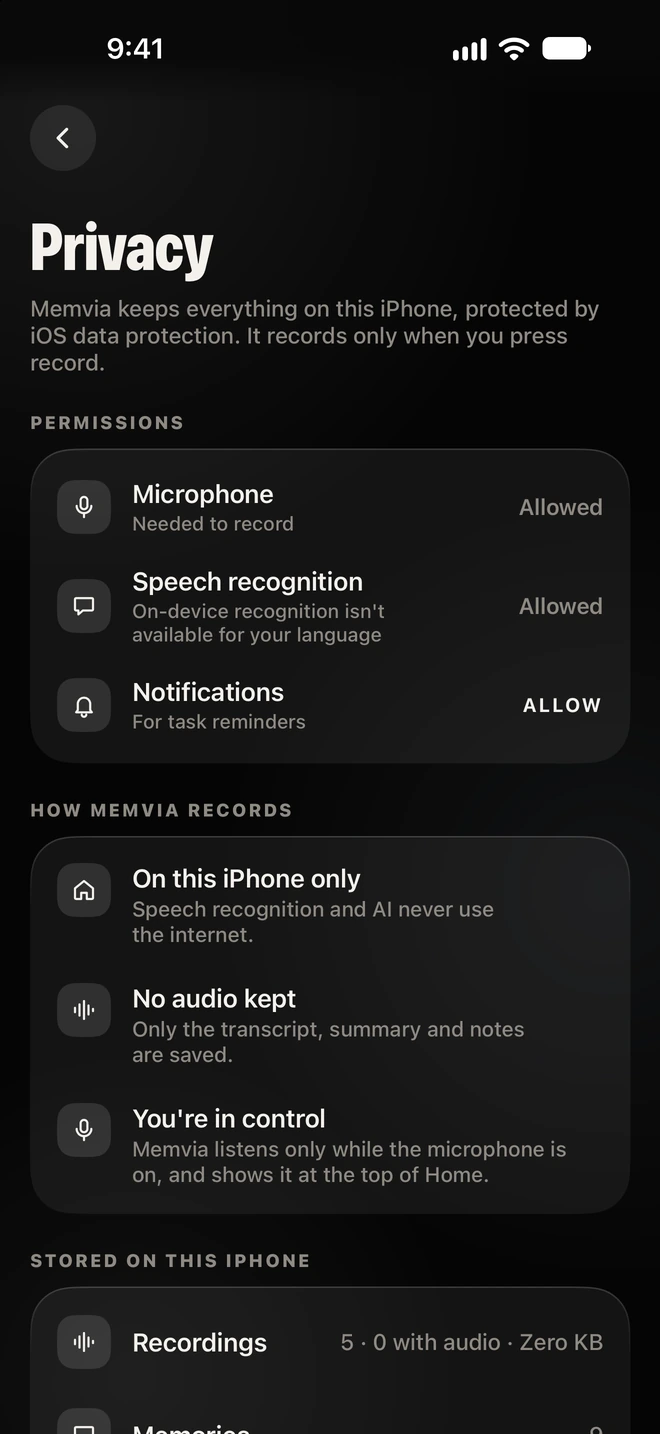
The necklace’s privacy design is in its firmware and board, and tested with a simulated necklace; no physical necklace has been tested yet. Memvia’s on-device speech recognition and background listening haven’t been tested on a real iPhone yet. Read the Privacy Policy.
Mem is the microphone. Memvia, on your iPhone, does the rest: it turns what you hear into short memories you can ask for later. It doesn’t need the necklace; it also works with the iPhone’s own microphone.
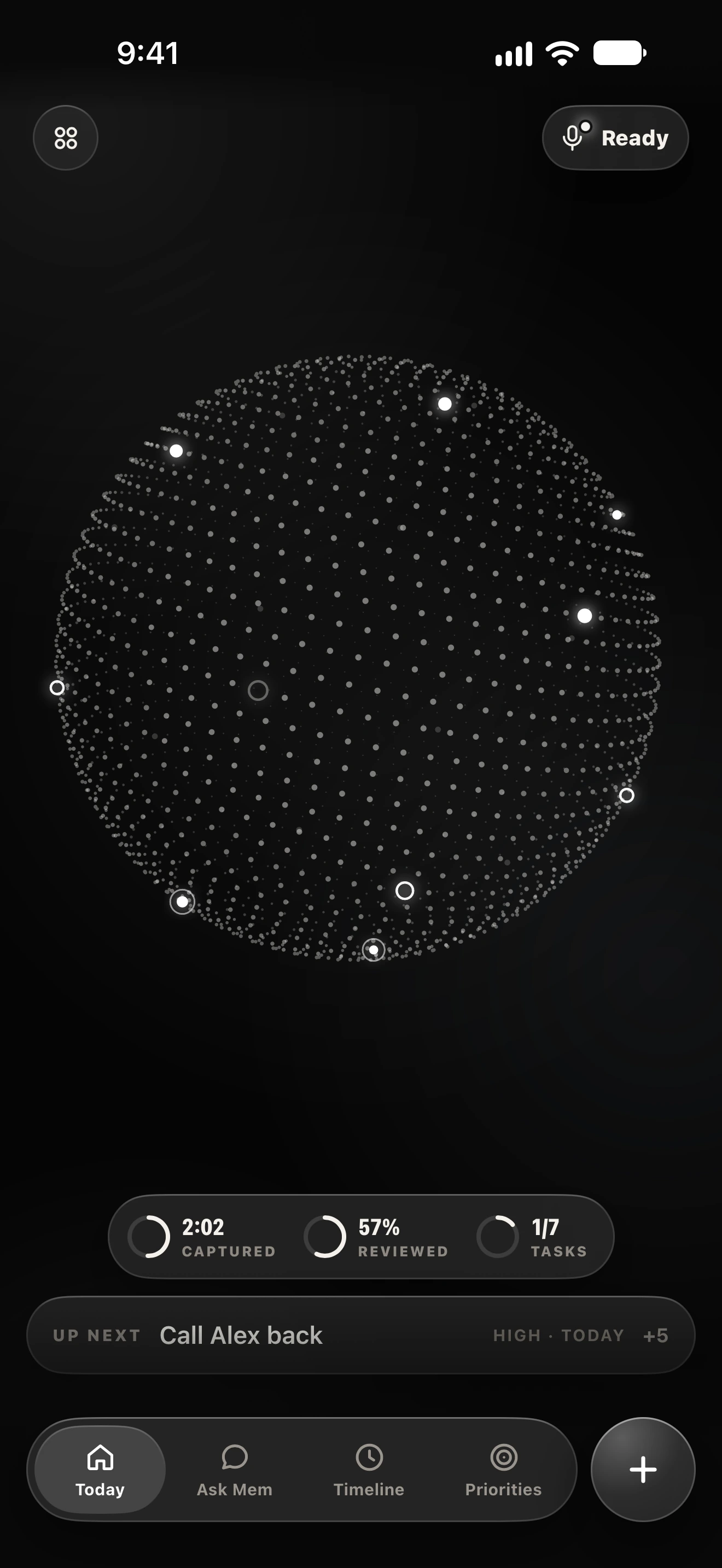
The Today screen shows your memories and tasks as points on a globe. Tap one to open it. Try it here.
Sample memories from the app’s demo data.
Each memory keeps who and where, a short summary, and a link back to the recording it came from.
People and placesAlex, Edgewood Ave, and the recording it came from.
A summary, not a quoteWritten as what was said, so it reads in a second.
Open the recordingJump back to the conversation for the full context.
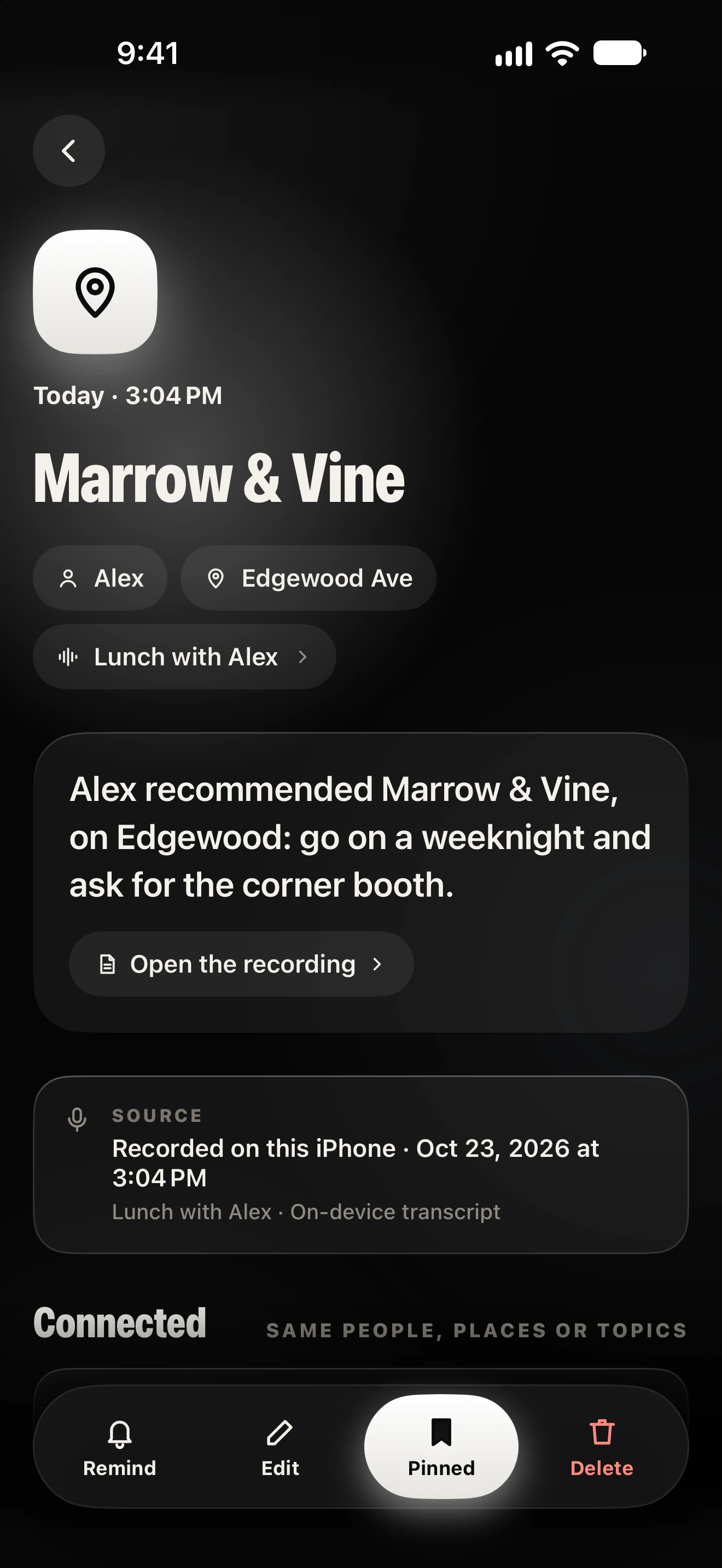
Its sourceRecorded on this iPhone, with an on-device transcript.
Connected memoriesOthers that share the same people, places or topics.
Remind, Edit, Pin, DeleteSet a reminder, correct it, keep it on top, or remove it.
Mem searches what you saved, then answers with the memories it used. If it isn’t saved, Mem says so instead of guessing.
The first answer is from the app’s own screenshot. The second shows how Mem replies when nothing is saved.
Searches words, meaning and dates“Coming up” and “last week” work. Meaning-based search runs where iOS provides it.
The model fits your iPhoneGemma 4, Apple Intelligence or SmolLM2, chosen by what your iPhone can run. All on the device.
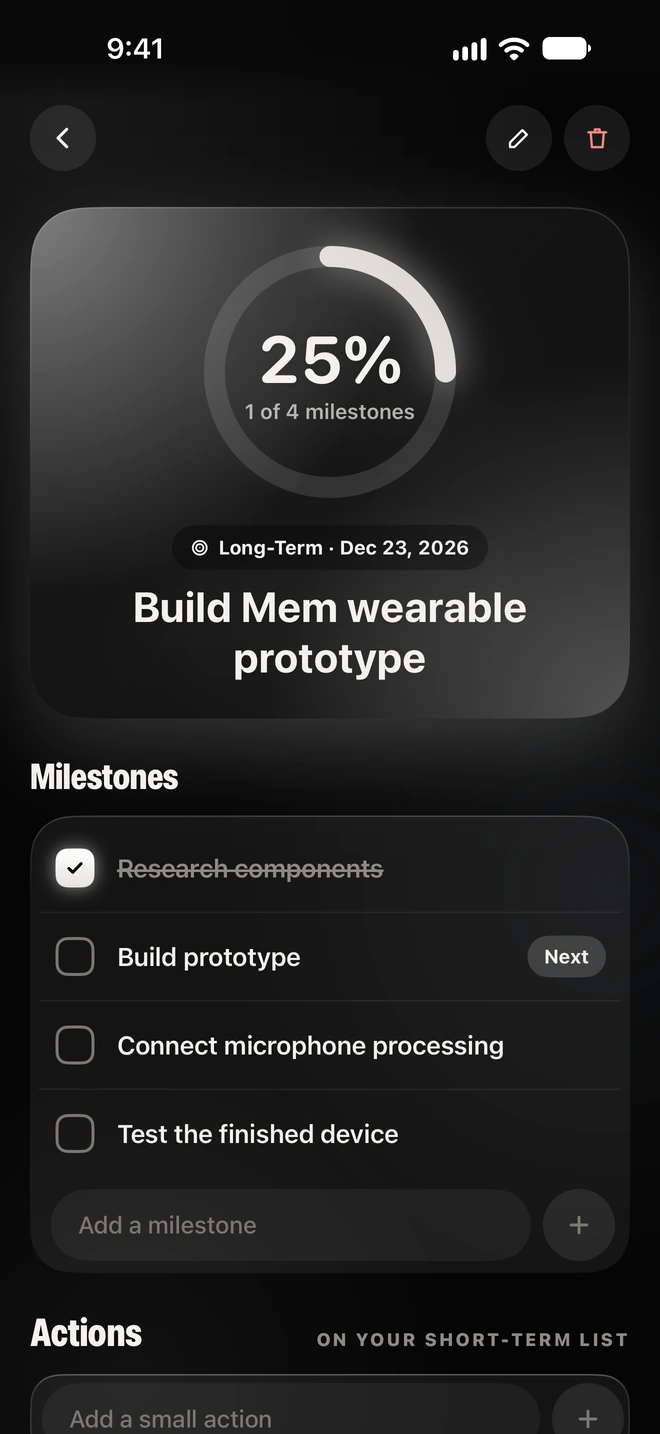
Tasks you mention land in Priorities. Tick them off, edit or delete them, and break bigger goals into milestones.
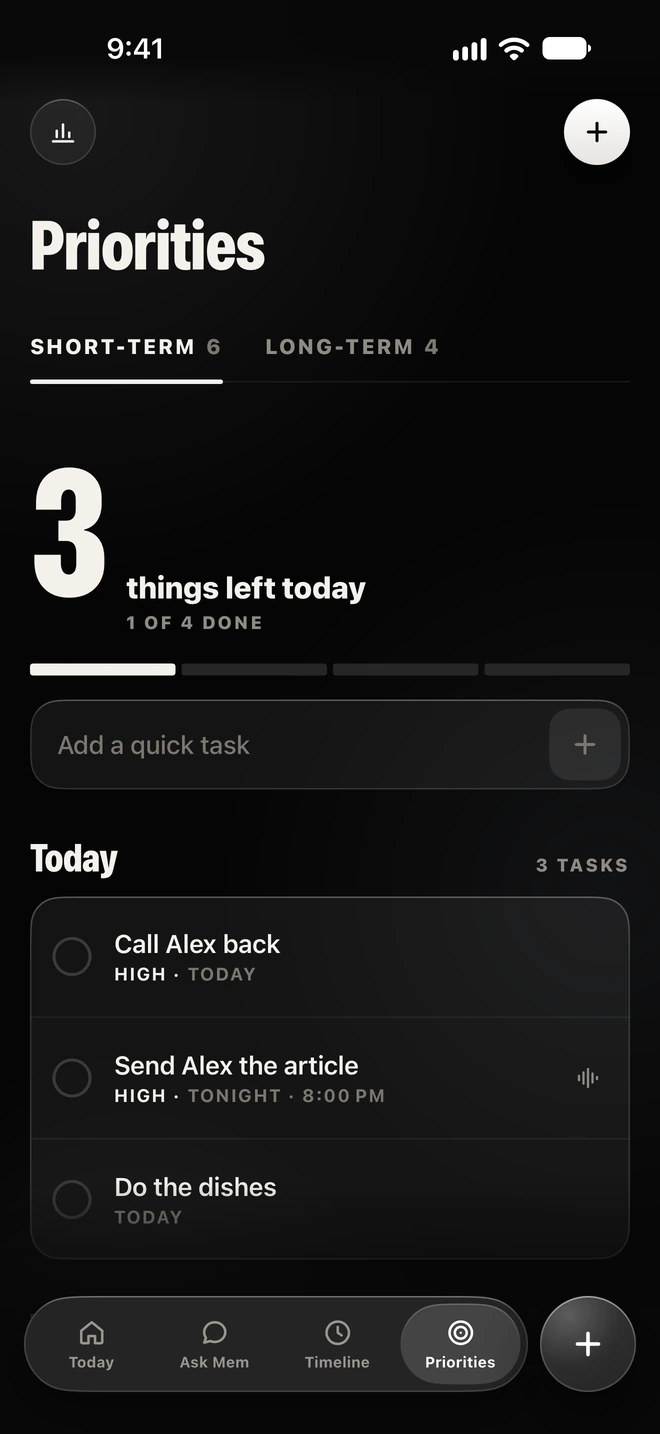
Try it. Sample data from the app’s demo.
There are three ways to use the microphone. None of them start on their own.
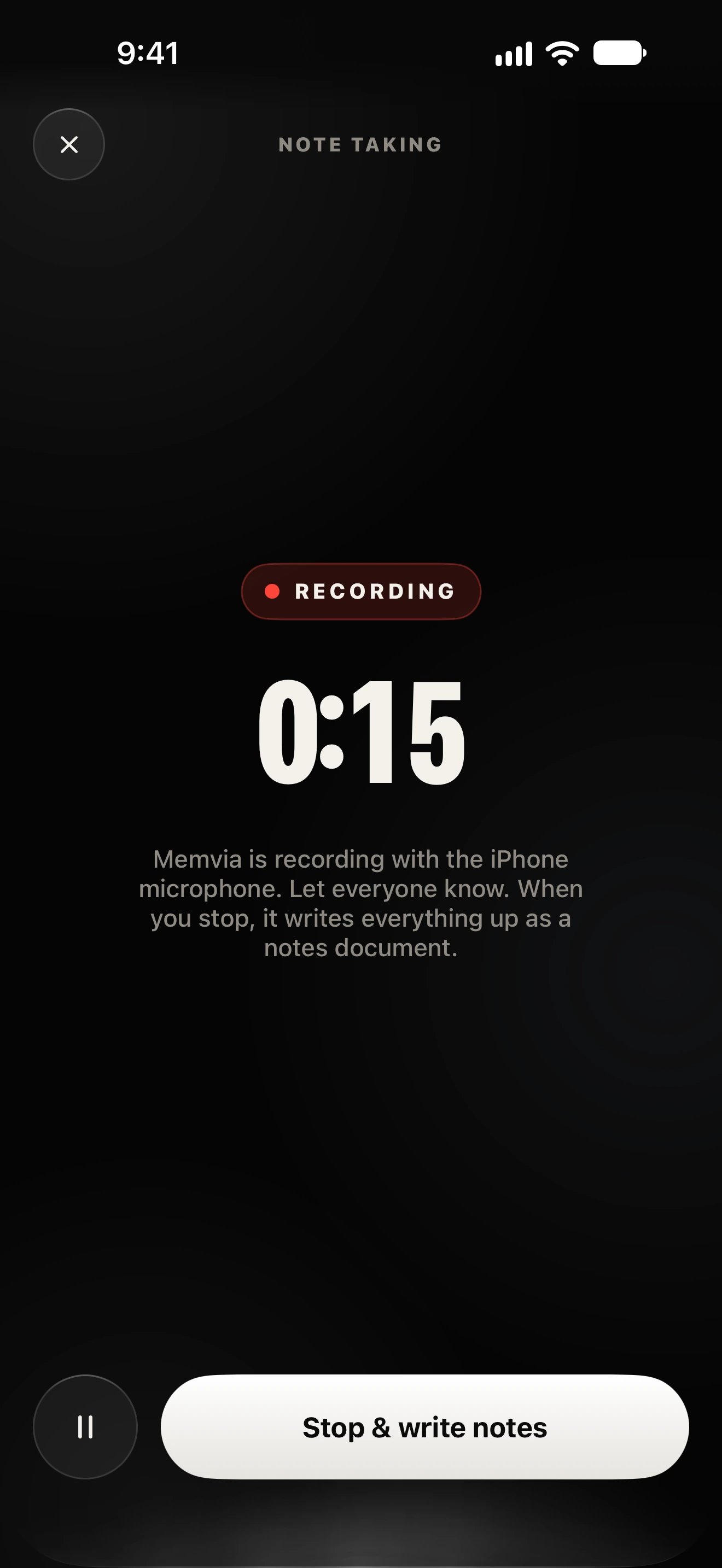
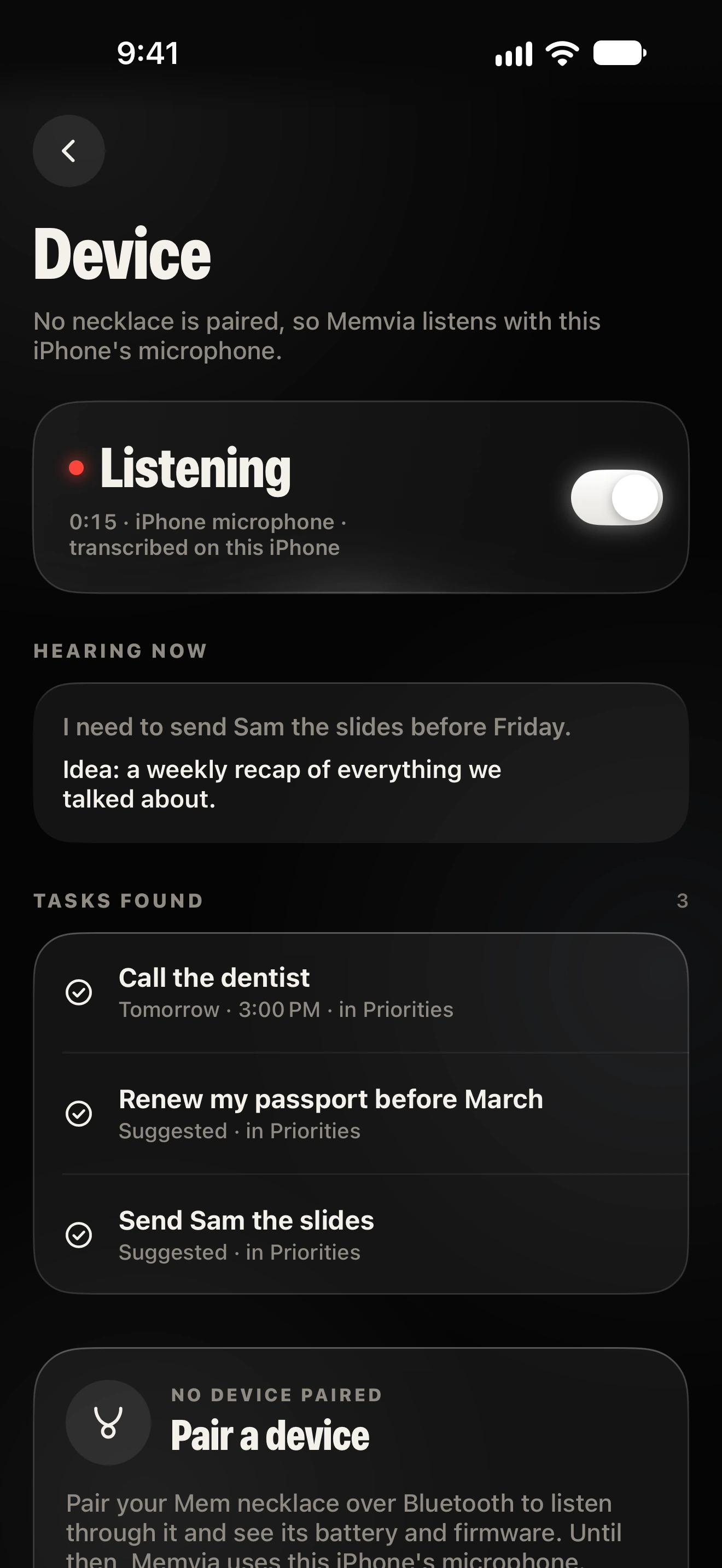
MicrophoneNeeded to record. The app’s own request reads:“Memvia records only when you press record, so it can turn what you say into memories and tasks.”
Speech recognitionUsed on the iPhone only. If on-device recognition isn’t available for your language, Memvia tells you and doesn’t transcribe.
Download the Kokoro voice (103 MB) in Settings, then choose from 10 English voices, preview them and set the speed. Without it, Mem uses the best Apple voice on your iPhone.
Settings, then AI & Voice.
Real screens, with the app’s demo data. Tap a screen to see it full size.
Examples from the app’s demo data.
A recommendation, a code, a name. Saved as a short memory you can open later.
Say it once. It waits in Priorities.
Goals with milestones, and memories linked to them.
When a date is unclear, Memvia asks which day.
Kept together in the Idea Vault.
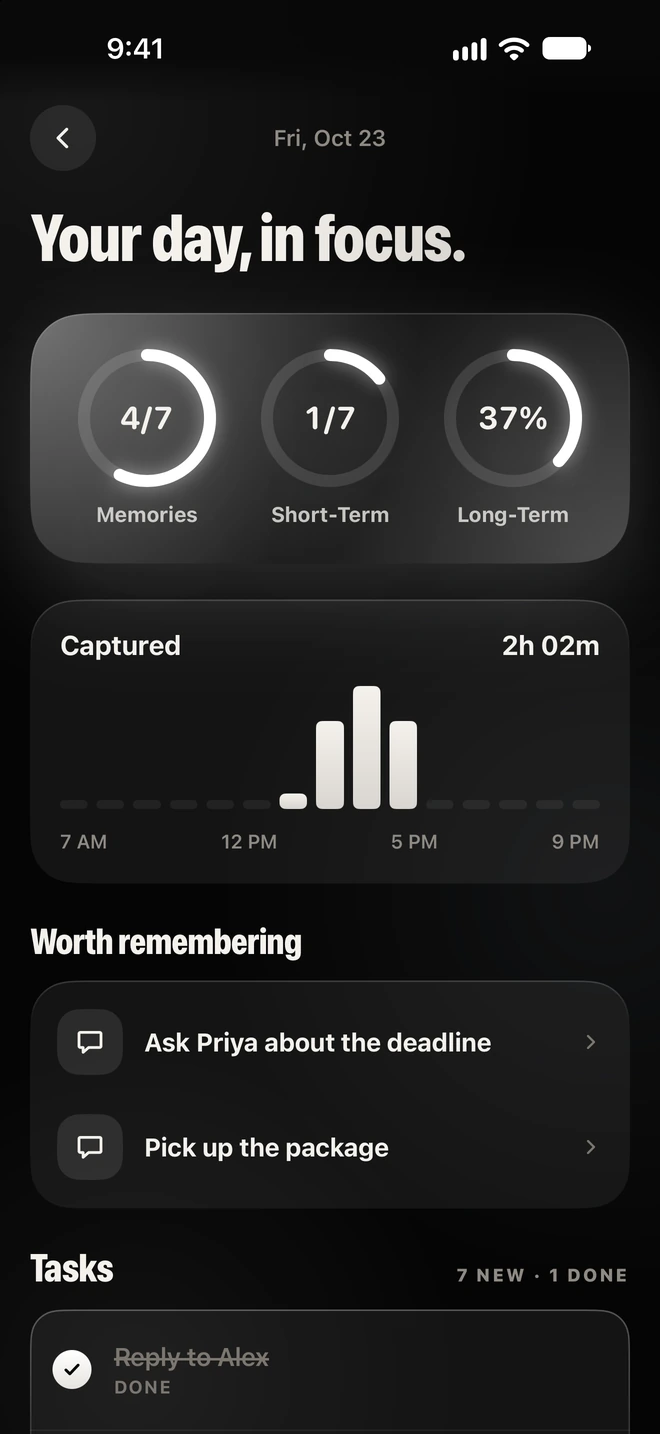
The Timeline and the daily recap show what you captured, and what’s worth remembering.
Ask Mem, and get the memory it came from.
Most of what’s worth remembering is never written down. A place someone mentioned, a date that moved, a thing you promised on the way out. Notes apps wait for you to type. Memory doesn’t.
Short memories you can find beat long transcripts you never read. Recording starts when you say so. Answers come only from what you saved.
Every screen comes from one Liquid Glass design. Everything you save can be exported, imported or erased, and nothing needs an account.
The app works on its own with the iPhone’s microphone. The necklace is meant to be a microphone you don’t have to take out of your pocket, while the iPhone keeps doing the thinking.
Testing Memvia on real iPhones, and building the first physical necklace. There are no release dates yet, and this page won’t promise any.
Neither Mem nor Memvia is out yet. Here’s where each one stands.
 In development
Larger AI models need more memory: Gemma 4 needs an iPhone with 8 GB, such as iPhone 15 Pro or later.
A small necklace with a microphone and one button, designed to work with the Memvia app on your iPhone. It’s in development: the board design is in review, and it can’t be ordered yet.
A memory and organization app for iPhone. It turns what you record, say or type into short memories, keeps your tasks and goals, and answers questions about what you’ve saved.
From a recording, a typed note, or while listening is on, Memvia picks out tasks, reminders, places, people, facts, ideas and goals, and saves each as a short summary like “Alex recommended Marrow & Vine”. Sensitive details such as PINs or card numbers start unticked.
Yes, by asking Mem. It searches by words, by meaning where iOS supports it, and by dates like “coming up” or “last week”, and shows the memories behind its answer. When you link a memory to a goal, you can also search by text.
No. Only optional downloads (a larger AI model or Mem’s voice) use the network, and only when you tap Download. After that, Memvia works in airplane mode.
On your iPhone, in Memvia’s app folder, protected by iOS Data Protection. There is no Memvia server or account. The main memory file is included in your normal iPhone backups.
No. It records only after you start note taking, turn on listening, or use voice mode. The Today screen always shows the microphone status, and iOS shows its own indicator.
Yes. Open a memory and tap Delete. Settings also has Erase all data, and transcripts are cleared after 30 days unless you choose another setting.
No. The Mem necklace is in development. Its board design is in review, it can’t be ordered, and there’s no release date.
iPhones with iOS 18 or later, which is iPhone XS and newer. Recording, transcription, search and the Apple voice work on all of them. Gemma 4 needs an iPhone with 8 GB of memory.
Memvia isn’t on the App Store yet. When it is, the link will be in the Get Memvia section of this page.